
Industrial Display Backlight Failure Diagnosis
Part of: Display Flicker and EMI Troubleshooting Guide
·Senvita Display Engineering
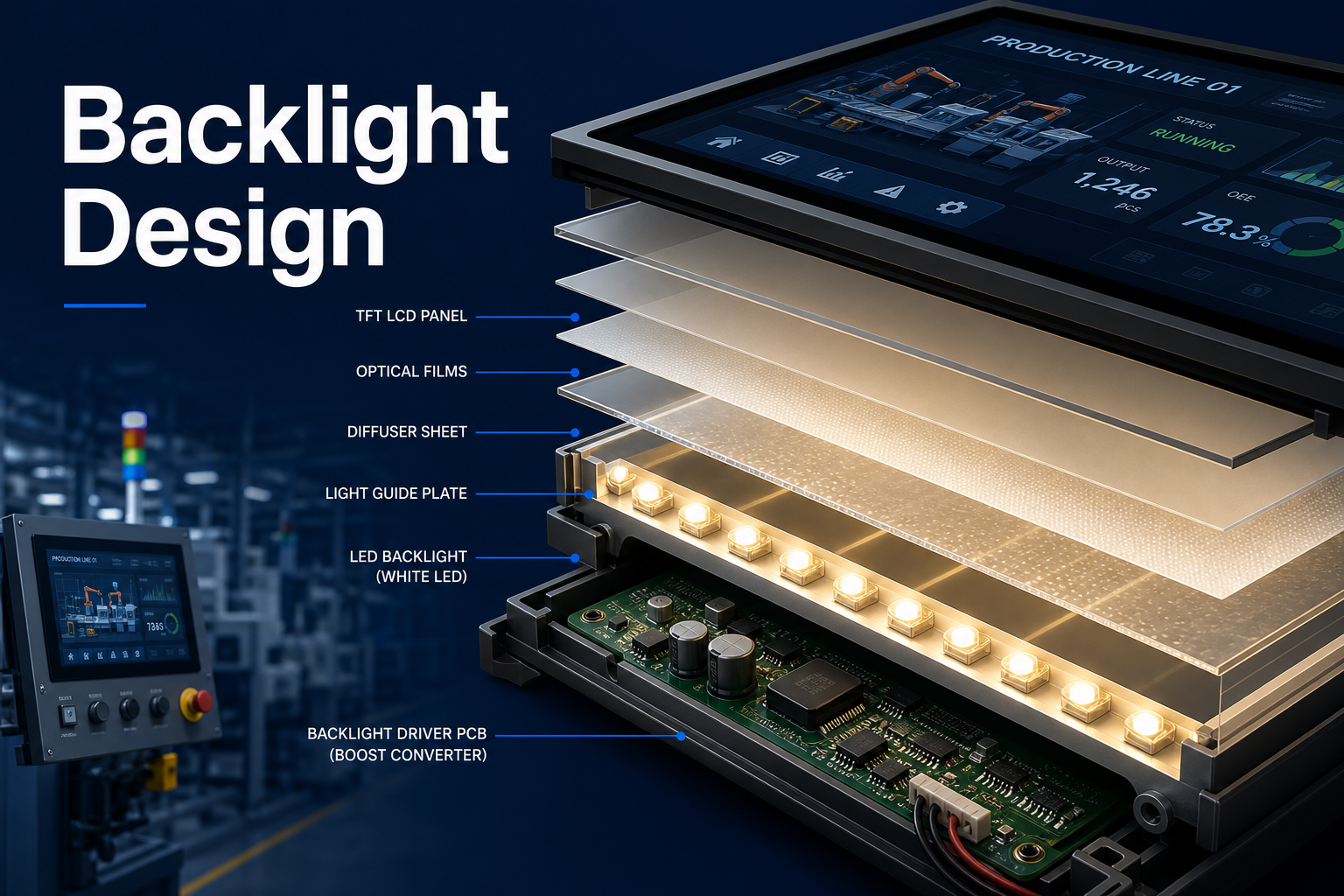
Industrial display backlight failures often look like a display problem, but the fault is usually confined to the LED stack, the constant-current driver, or the dimming and protection network. A useful diagnosis separates "no light," "brief flash," "low brightness," and "brightness instability" because each symptom points to a different electrical limit.
Definition
The backlight subsystem includes the LED strings, boost or buck-boost driver, current sensing, PWM or analog dimming input, and any protection logic that turns the LEDs off on fault. It is independent of the LCD image data path, so a valid picture can still be invisible if the backlight is not operating correctly.
- Symptoms: flash-on-then-off, uniform dimming, one side darker than the other, flicker at low dim level, or shutdown after warm-up.
- Key parameters: LED string forward voltage, driver current limit, PWM frequency, dimming range, thermal derating, and open/short protection threshold.
- Common stressors: long cables, high ambient temperature, aggressive brightness settings, and poorly filtered supply rails.
Problem: Backlight flashes once and then turns off
Cause: The driver may be hitting open-string protection because an LED chain is disconnected, aged, or outside its allowable forward-voltage window. In some cases the driver cannot raise boost voltage high enough because the input rail sags during start-up.
Solution: Measure LED output voltage during the flash event, inspect the string for opens, and verify that the power rail stays within margin. If the module is newly integrated, confirm the backlight pinout and connector contact quality before replacing the panel.
Problem: Brightness is too low even though the image is correct
Cause: The driver may be current-limited, thermally derating, or receiving an incorrect dimming command. Another frequent cause is using a panel/backlight combination with a higher LED forward voltage than the design budget assumed.
Solution: Check actual LED current, confirm the PWM or analog control range, and compare the real backlight voltage against the datasheet maximum. For system-level design margin, review Backlight Design for Industrial TFT LCD and High Brightness TFT LCD Engineering.
Problem: Light output flickers when brightness is reduced
Cause: Low-frequency PWM, poor grounding, or ripple on the driver supply can create visible instability. If the backlight current loop is coupled to noisy motor or relay circuits, the driver may also react to transient disturbances.
Solution: Raise PWM frequency to a level that stays out of the visible band, separate the backlight supply return from high-current loads, and add filtering where the driver reference requires it. If the behavior appears temperature-dependent, compare it with Wide Temperature Guide for Industrial Display.
Validation
Backlight validation should prove both electrical stability and thermal stability.
- Measure driver current, output voltage, and dimming waveform under minimum, typical, and maximum brightness.
- Run the display at full brightness at elevated ambient temperature to confirm no thermal foldback.
- Check for side-to-side brightness mismatch, which can indicate string imbalance or mechanical stress on the light guide.
- Confirm that the protection path does not trigger during system transients such as crank, relay switching, or load dumps.
For the broader fault tree, see Flicker & EMI Troubleshooting Guide.
Related reading: Backlight Design for Industrial TFT LCD, High Brightness TFT LCD Engineering, Wide Temperature Guide for Industrial Display.